How to bill subscriptions automatically with Zoho Billing
If you sell monthly plans, memberships or recurring services, Zoho Billing invoices and charges on its own. What it automates, how it handles failed payments and where to start.
Try this exercise: open your list of customers on a monthly plan and count how many paid late last month. Now count how many hours someone on your team spent sending invoices, checking transfers and writing “hi, just a reminder about your payment”.
With five customers it is manageable. With fifty, it is a full-time job. With five hundred, it is impossible. Zoho Billing automates that cycle so recurring revenue arrives without chasing anyone.
What is Zoho Billing?
Zoho Billing is Zoho's software for invoicing and charging subscriptions and recurring payments: plans, automatic invoices, charges, customer portal and revenue reports. All the product information is on the Zoho Billing website.

What does Zoho Billing automate?
Everything you do by hand every month today:
- Recurring invoicing: each subscription's invoices are generated and sent on their own every period.
- Automatic charges to the customer's saved payment method.
- Plans, add-ons and coupons, with free trials and plan changes.
- Usage-based billing for services charged by consumption.
- Payment pages ready to share by email or WhatsApp.
Which businesses need automatic recurring billing?
Any business that charges the same every period: gyms, memberships, software, monthly services, education or product subscriptions. If you sell courses with monthly payments, combine this with the automatic delivery we explain in how to sell an online course.

Why is money lost in subscriptions?
Because of payments that fail and nobody retries. It seems counterintuitive: the money that slips away most is not from customers who decide to cancel, but from those who wanted to keep paying and whose card expired, had no available balance or was declined one day. If nobody notices, that customer leaves without ever deciding to.
Common mistake: turning on automatic billing and forgetting about it. Set up retries and reminders from day one, and review the list of failed payments every week.
What is the customer portal?
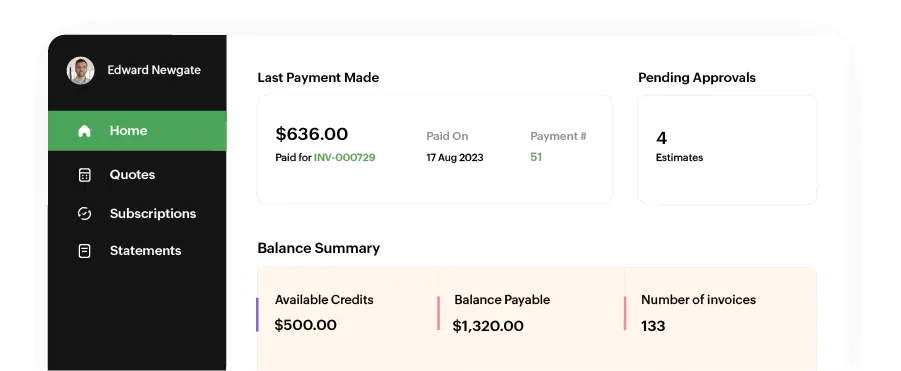
It is a space where each customer sees their invoices, updates their payment method and changes or cancels their plan according to your rules. Fewer repetitive messages for your team (“can you resend the invoice?”) and more autonomy for the customer.
How do I get started with Zoho Billing?
| Step | What you do | Why it matters |
|---|---|---|
| 1 | Define plans, billing periods and add-ons | It is the basis of all charges |
| 2 | Choose the gateway available in your country | Without a gateway there is no automatic billing |
| 3 | Set up retries and reminders | It recovers failed payments |
| 4 | Connect your CRM | Sales and charges in the same history |
| 5 | Migrate your current subscribers | Each with their renewal date |
Zoho Billing integrates natively with Zoho CRM and Zoho Books, and through n8n with almost any other tool. For example: a failed payment can trigger a WhatsApp message with the link to update the card, using a utility template.
In short
Zoho Billing turns recurring billing into an automatic process: it invoices, charges, reminds and reports with no manual work. The hours that today go into chasing payments go back to your team. We set it up and connect it to your operation in our Zoho Billing service.
Frequently asked questions
Does Zoho Billing work with the payment gateways in my country?
It depends on the country. Zoho Billing works with several payment gateways; before implementing we check which ones are available for your business.
What happens when a payment fails?
Zoho Billing lets you retry the charge and send automatic reminders to the customer, so the payment is not lost without anyone noticing.
Can I bill by usage and not just a fixed fee?
Yes. Zoho Billing supports usage-based billing for services charged according to each period's consumption.
Can I migrate my current subscribers?
Yes. They are loaded with their plan and renewal date so the next charge arrives on the right date.
Do not stop at the theory: apply it to your business
We implement Zoho Billing end to end, with your real operation. The first conversation is free.